Technical Sidebar
This feature only supports Odoo version 16 and later.
The Technical Sidebar is a floating inspection panel that overlays any Odoo page. It lets you inspect fields, their types, properties, and metadata in real time without leaving the page or opening the DevTools.
Activate the sidebar
The sidebar is activated from the Extension Popup: click the extension icon in your browser toolbar, then enable the Technical Sidebar toggle. It can also be activated from the extension options.
Overview
The sidebar is an anchored panel on the side of the page. It contains:
- Database information: displays information about the current database, such as its name, version, etc.
- Record information: displays information about the current view's record, such as its ID, model, etc.
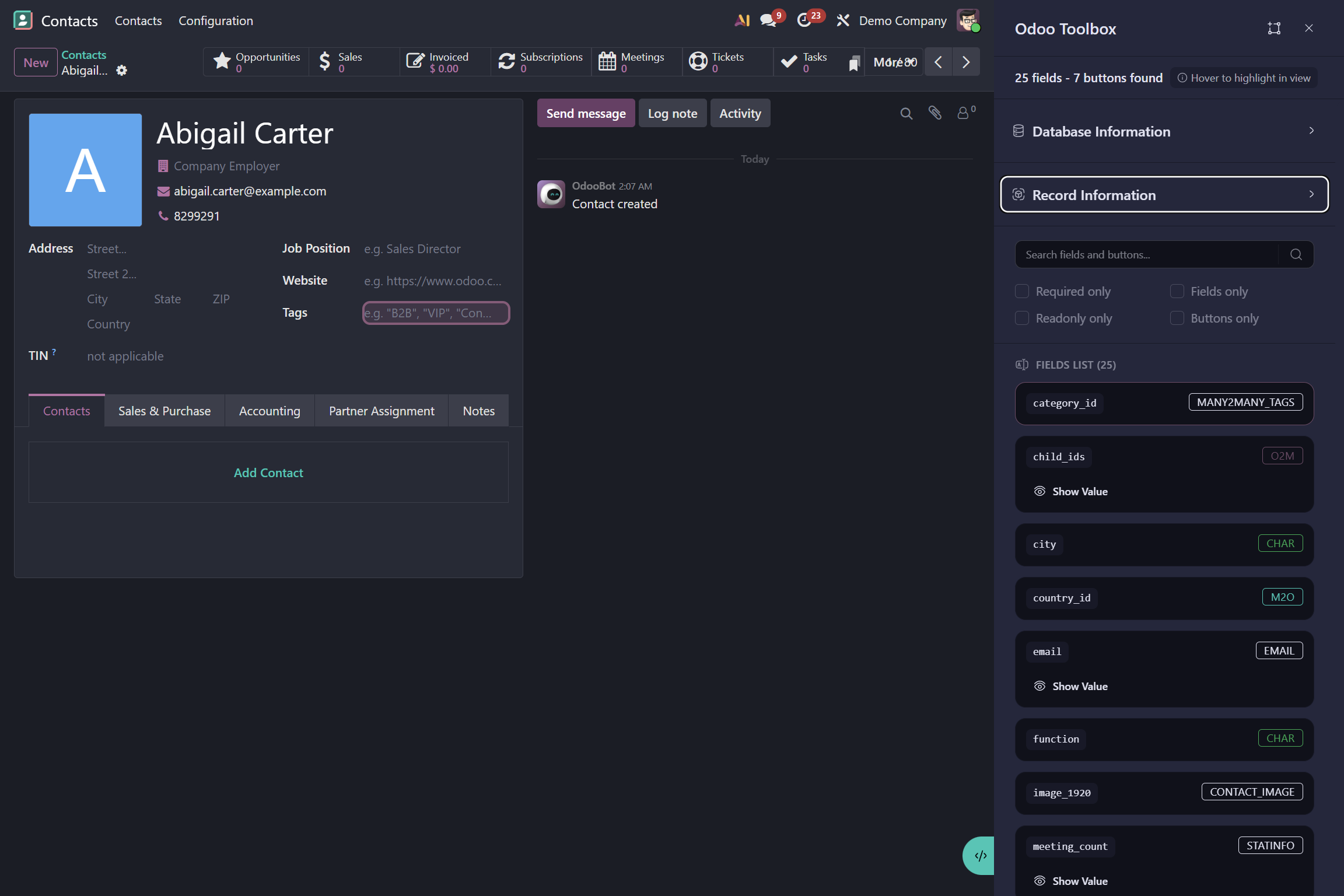
- The field list: displays all fields of the current model with some technical information.
- The action list: displays all available actions for the current model with some technical information.
- The search bar: filters the field and action list by technical name, display label, or type.
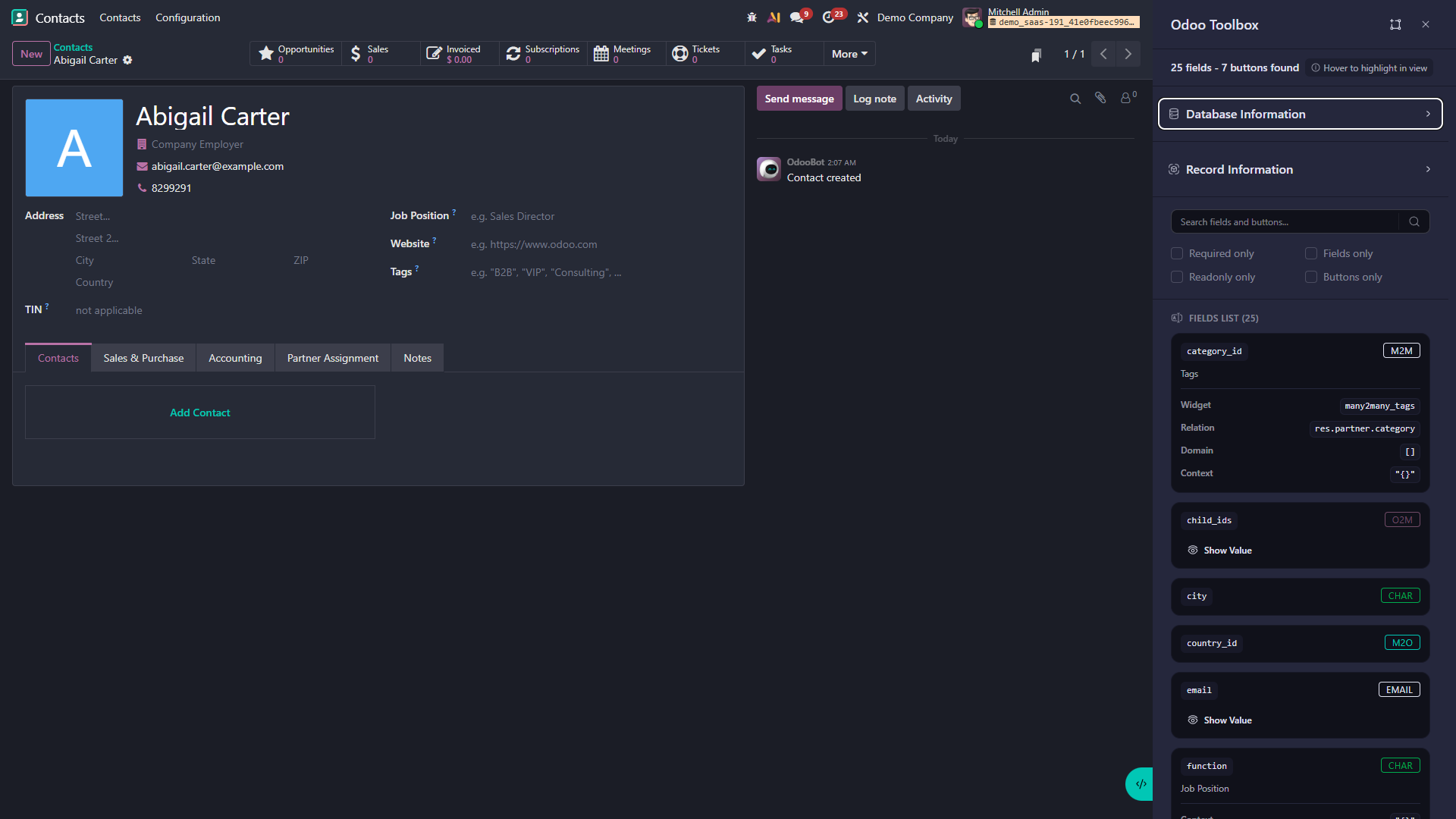
Debug mode does not need to be enabled to access the information.
Features
Database information
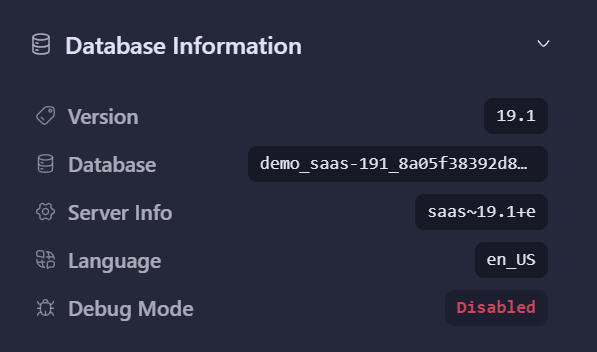
Information about the current database is displayed at the top of the sidebar, including:
- The Odoo version
- The database name
- The current language
- The developer mode status
Record information
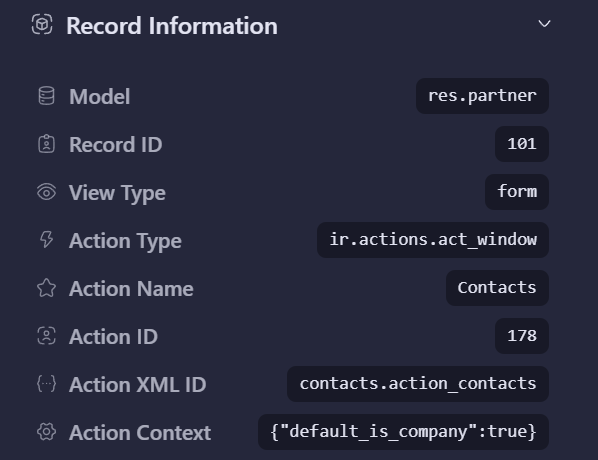
Information about the current view's record is displayed below the database information, including:
- The model name (e.g.
res.partner,sale.order) - The record ID
- The view type (e.g.
form,list,kanban) - The action type (e.g.
ir.actions.act_window) - The action name (e.g.
Show Partners) - The action ID
- The action XML ID (e.g.
base.action_res_partner_form) - The action context (e.g.
{'search_default_group_by_country': 1})
Action buttons
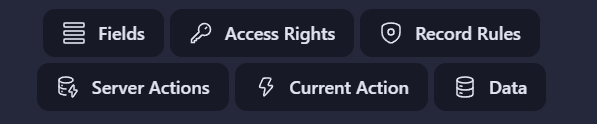
Several action buttons are also available in this section to perform different actions:
- Show model fields
- Show model access rights
- Show model record rules
- Show available actions for the model
- Show the action linked to the current view
- Show the current record data as JSON
Field and action list
The fields and actions of the current model are listed in the sidebar with some technical information. Filters and a search bar are also available to quickly find a specific field or action.
Hovering over an item in the list highlights it on the page, allowing you to identify it visually.
Field or action details
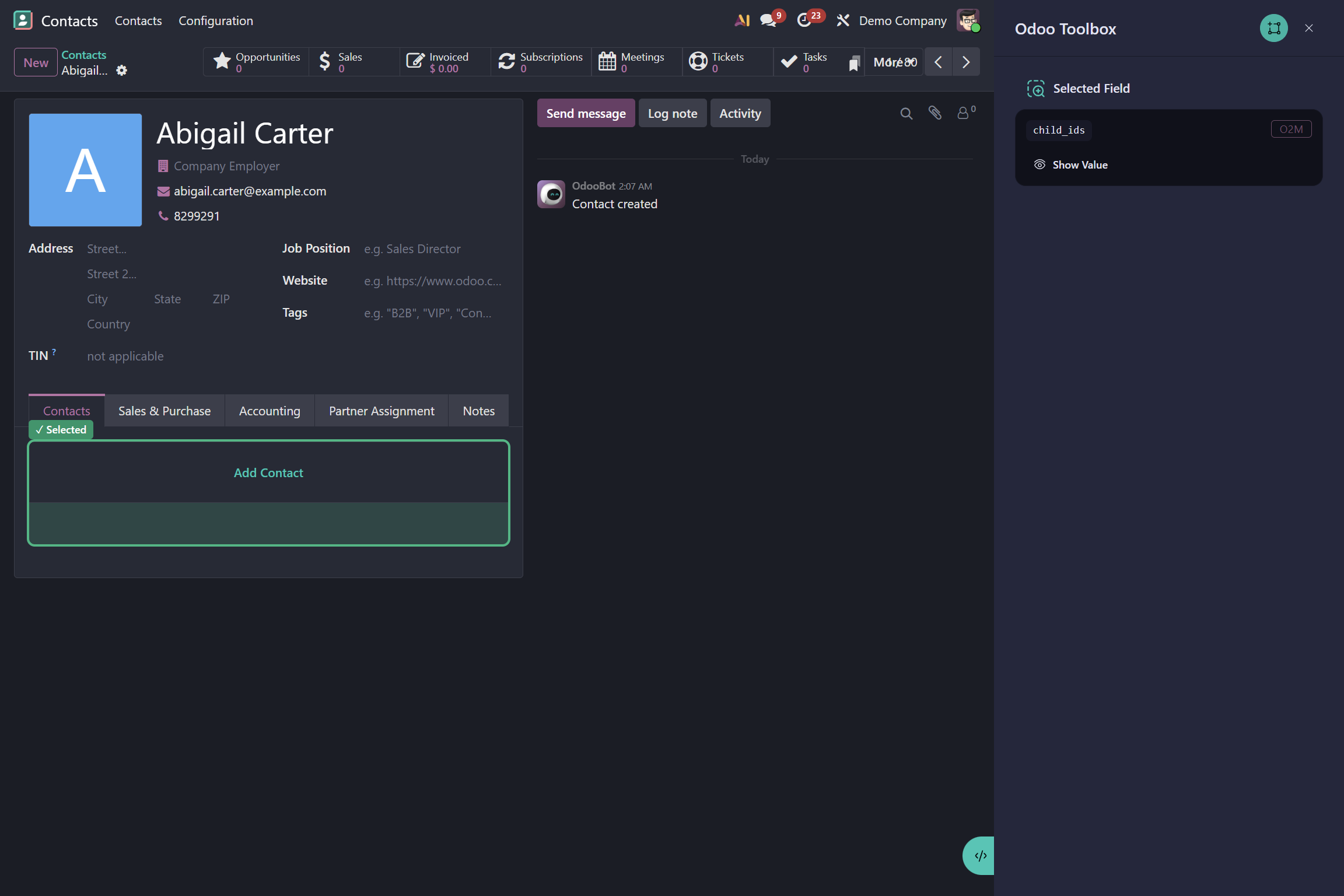
It is also possible to enable a mode that lets you click on a field or action to display its technical details in the sidebar. This gives you focused information about that specific field or action.
This mode is enabled by clicking the inspection button at the top right of the sidebar.